
How to Read PDFs on iPhone Duo: Book Mode, Two Pages and Split View
Step-by-step: open a PDF with Apple's built-in apps, read it in every fold, get two pages side by side, and put two documents next to each other.
By Conscious Engines Studio · · 7 min read
To read a PDF on iPhone Duo, open it in Preview (or tap it in Files or Mail) on the outer display, then unfold the phone for a full page on the 7.6-inch inner display; fold it part-way like a book in an app that supports two pages, or use Split View to put two documents side by side. If you want to collect highlights, question the document and keep your notes beside the page in every fold, open the same PDF in Duet.
This guide covers Apple's built-in apps first, then Duet, which we make. Apple's iPhone User Guide has no Duo pages yet, so where Apple hasn't published steps, we say so.
The positions, in plain words
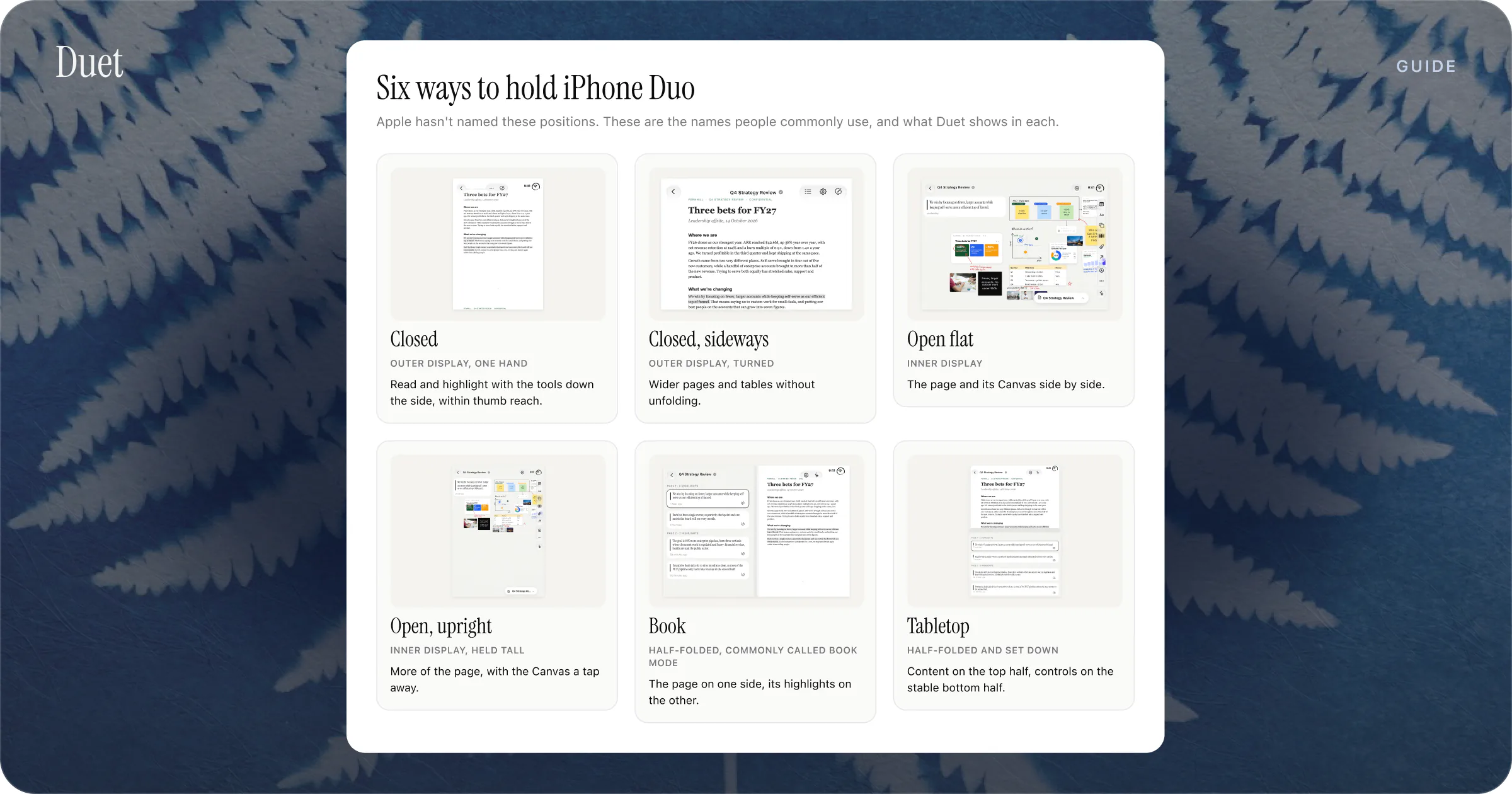
Apple hasn't given the fold positions official names. Its guidelines describe the phone partly folded like a book, set down on a surface or standing on its edges, and its iPhone Duo page uses headings such as Closed, Seated and Standing. We use the common names:
- Closed: the 5.4-inch outer display, used with one hand.
- Open: the 7.6-inch inner display, flat.
- Book mode: partly folded, held like a paperback.
- Tabletop: set down partly open, one half flat on the table and the other angled up.
What you need
- An iPhone Duo set up with iOS 27.1. MacRumors reports that new phones install an update during setup, so let it finish.
- A PDF in Files, an email attachment, a Messages attachment or a download in Safari.
- Optional: an app with published Duo support for PDFs, such as Duet or Highlights. See The Best PDF Readers for iPhone Duo.
Step 1: Open the PDF with the built-in apps
In Preview
Since iOS 26, iPhone has its own Preview app for PDFs and images.
- Open Preview.
- Tap Recents, Shared or Browse at the bottom to find the file.
- Tap the PDF to open it.
PDFs you tap in Files also open in Preview, as they have since iOS 26.
From Mail or Messages
- Tap the PDF attachment to open it.
- To keep it in a library, tap the share button and choose Books.
Apple's Books app is a simple shelf for PDFs you'll come back to, with drawing and annotation tools. Our Apple Books vs Files vs Preview comparison explains which to use when.
Step 2: Read closed, with one hand
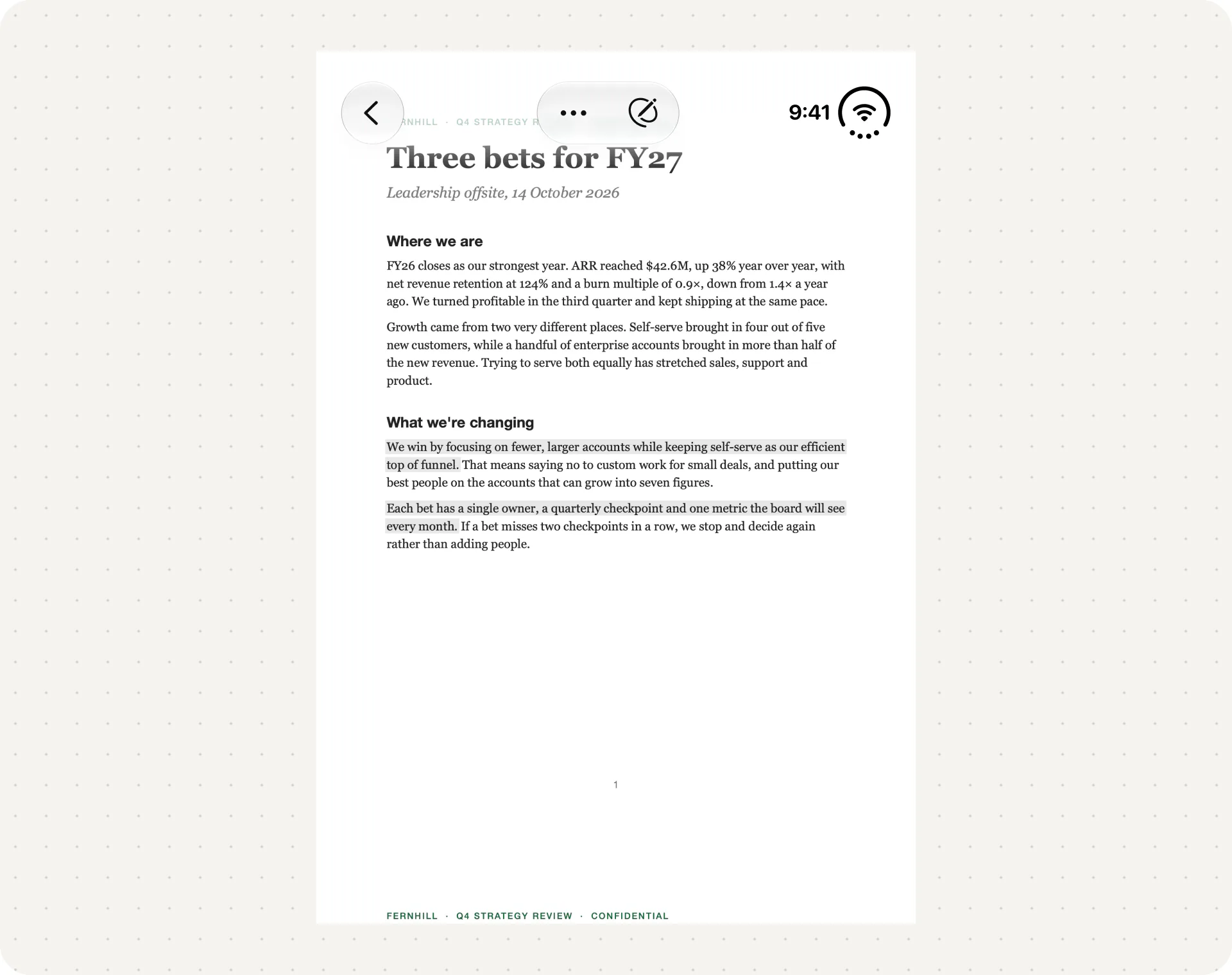
With the phone closed, the outer display is a little smaller than an iPhone 18 Pro's. iOS moves toolbars and navigation controls to the side of the outer display to leave more height for content, so expect the controls along one edge.
In Preview:
- Zoom: pinch two fingers open or closed.
- Jump around: tap the page count to show thumbnails, or use Go to Page from the More menu.
- Search: use the search button and type a word or phrase.
- Read at night: with Dark Mode on, choose Dark Background from the More menu.
Step 3: Unfold for a full page
Open the phone. Apple says apps expand to fill the inner display when you unfold it, and that the inner display is about 50 percent larger than iPhone 18 Pro Max's. That's a lot more room for a full page.
If an app shows empty space around its content on the inner display, it was built with older tools; Apple says apps built with the iOS 27.1 SDK or later fill the display. Check the App Store for an update.
Step 4: Fold it like a book for two pages
In Apple's apps: MacRumors and 9to5Mac reported in early October that Quick Look, the viewer iOS uses to preview files, shows two consecutive pages side by side when iPhone Duo is in the open book position, with search, markup and share controls down the right side. The report came from a video posted by the leaker pdfu. Apple hasn't documented it, so you may or may not see it on your phone.
In Highlights: the developer's Duo release adds an Auto page layout that switches from one page to two when you unfold the phone. The setting is under More (...) > Settings > Page Layout.
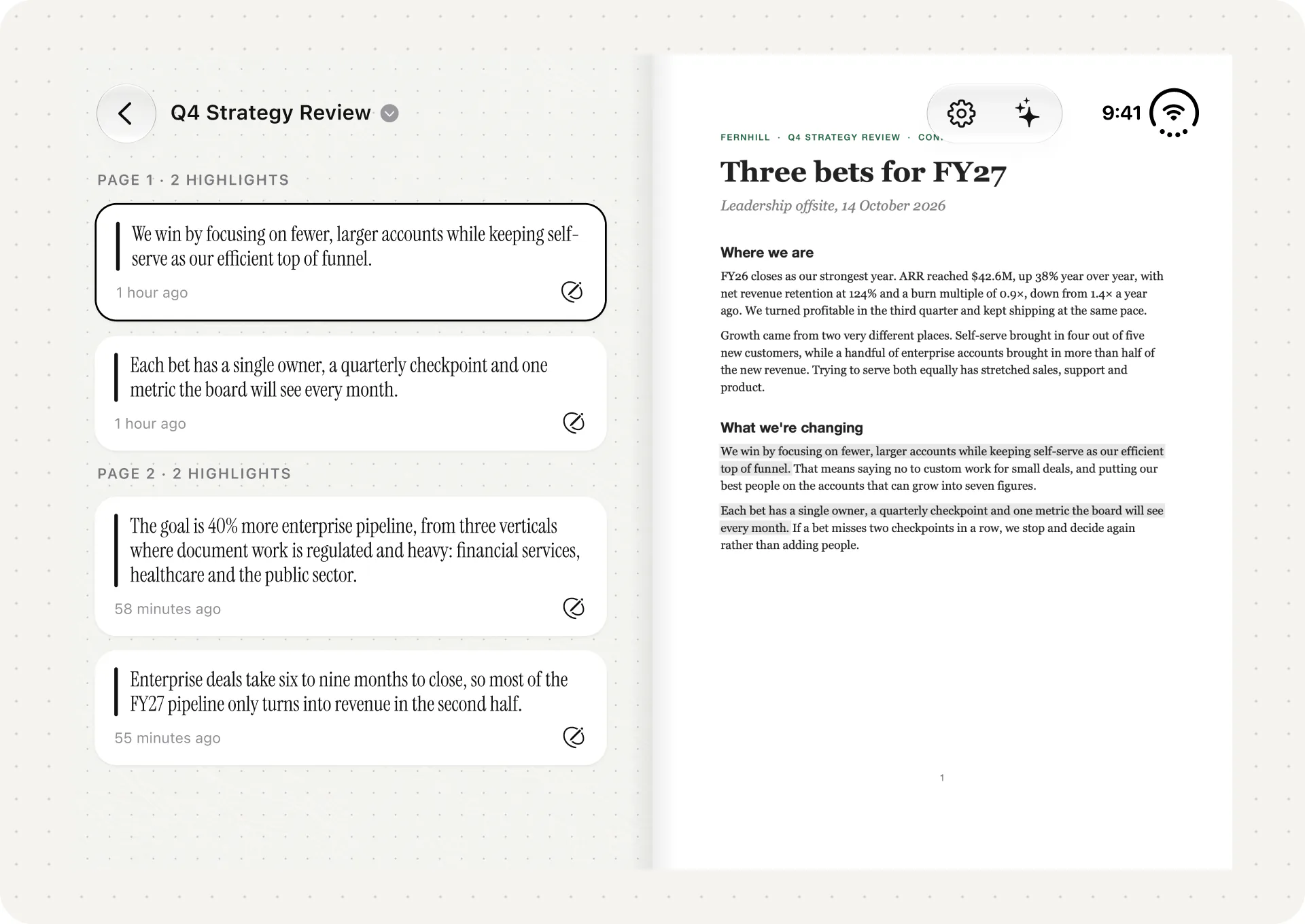
In Duet: book mode puts the highlights for the page you're on beside it. More on that below.
Step 5: Put two PDFs side by side with Split View
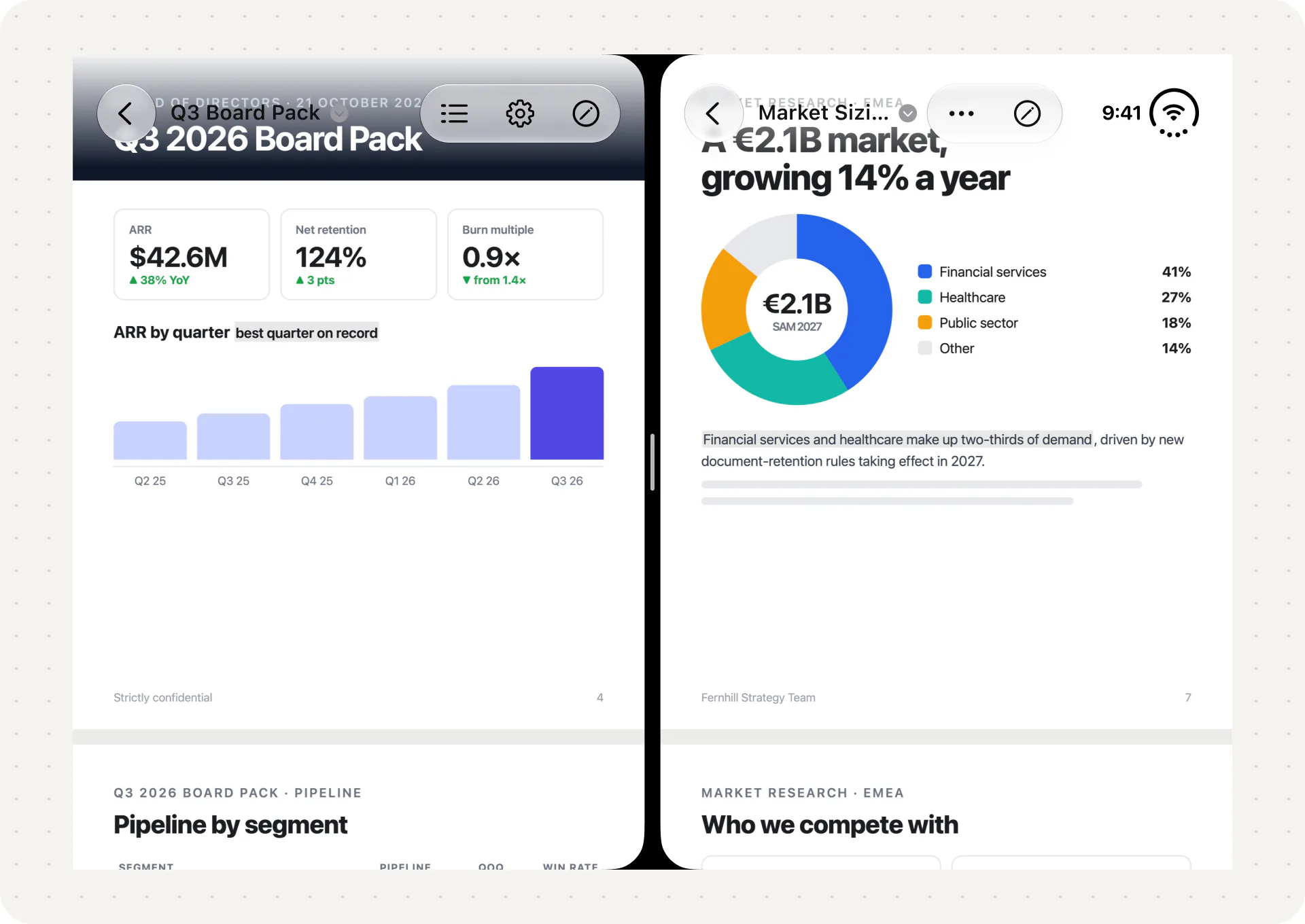
iPhone Duo is the first iPhone with Split View. Apple says you can put two apps, or two windows of one app, side by side on the inner display, and save pairs to come back to later.
- Open the phone and turn it to landscape, where Apple shows Split View on its iPhone Duo page.
- Open the first app, such as Preview, and move it to one side of the inner display.
- Open the second app, or a second window of the same app, on the other side.
- Save the pair if you'll use it again.
Apple hasn't published the exact gestures in its user guide yet, so these steps follow Apple's own description. MacRumors reports that the split is a fixed 50/50. Apple says new windows can only be opened on the inner display.
For pairs that work well for document work, see iPhone Duo Split View: 12 App Pairs for Document Work. For comparing two versions of a file, see How to Compare Two PDFs Side by Side.
Step 6: Read the same PDF in Duet
The built-in apps are fine for reading. Duet is for documents you need to think through, and it keeps every feature in every position.
- Import the PDF from Files, Mail or Safari. It appears in the Library with its date, page count and highlight count.
- Read closed. The page fills the outer display and the tools run down the side within reach of your thumb. Highlight a passage and it becomes a card linked to its page.
- Fold it like a book. The highlights for the current page sit beside the page.
- Open it flat. The page and its Canvas sit side by side. Add sticky notes, shapes and arrows, tables, photos, finger ink or a voice note.
- Set it on a table. Content goes on the top half and the controls on the stable bottom half.
- Ask a question. Ask about a passage or a card and pin the answer to the Canvas. Answers come from the document with page citations, using Apple Intelligence on the device, so it works offline.
- Open a second report in Split View to keep two documents side by side.
Fold, unfold or leave it for hours, and Duet returns to the exact line you were reading.
Tips
- Text runs through the fold, buttons shouldn't. Apple's guidance tells apps to keep controls and menus clear of the crease. If an app puts a button in the fold, check the App Store for an update.
- Look for the Duo badge. Apps whose developers submitted iPhone Duo screenshots show a badge on their App Store page.
- Try a theme for long sessions. Duet's six themes change the background, cards and highlight colour on both displays without changing type or contrast.
Troubleshooting
The app has black borders on the inner display. It was built with older tools. Update it, or use an app with published Duo support.
I can't open a second window. Apple says new windows can't be created on the outer display. Open the phone first. The app also needs to support multiple windows.
The two-page view doesn't appear. Apple hasn't documented the two-page Quick Look layout. Try book mode in an app that supports two pages, such as Highlights.
Apple Pencil doesn't work. Apple says Apple Pencil with USB-C support for iPhone Duo comes later this year. Use your finger for markup until then.
The app lost my place when I folded the phone. Apple asks developers to keep the state of an app the same between displays, but it's up to each app. Duet returns you to the exact line.
FAQ
Can iPhone Duo show two PDF pages side by side?
Yes, in apps that support it. Highlights has an Auto layout that shows two pages when you unfold the phone. A two-page layout in Quick Look was reported in October, but Apple hasn't documented it.
What is book mode on iPhone Duo?
It's the common name for holding iPhone Duo partly folded, like a paperback. Apple doesn't use the term officially; its guidelines describe the phone as partly folded like a book.
Which app opens PDFs on iPhone Duo by default?
Preview, Apple's built-in app. PDFs you tap in Files open in Preview, and Apple says you can open a PDF form attached to an email in Preview to fill it in.
Can I read two PDFs at once on iPhone Duo?
Yes. Use Split View on the inner display to open two apps, or two windows of one app, side by side.
Does Apple Pencil work for PDF markup on iPhone Duo?
Not yet. Apple says support comes later this year. Duet uses finger ink on Duo for now.
To try Duet on your Duo, visit duetreader.app or get it on the App Store. It's $19.99 once, with no subscription.
Sources
- Apple Newsroom, Apple unveils iPhone Duo, 9 September 2026.
- Apple, iPhone Duo.
- Apple Developer, Designing for iPhone Duo.
- Apple Developer, Three steps to make your app shine on iPhone Duo.
- Apple Developer, Leverage multiple displays and scenes on iPhone Duo.
- Apple Support, Open and view PDFs and images in Preview on iPhone.
- Apple Support, Read PDF documents in the Books app on iPhone.
- MacMost, An introduction to the iPhone Preview app in iOS 26.
- MacRumors, Unfolded iPhone Duo Lets You Preview Documents in a Two-Page Layout, 7 October 2026.
- 9to5Mac, Here's what iPhone Duo's new two-page PDF experience looks like, 6 October 2026.
- MacRumors, iPhone Duo Can Do Split View, But Not Like Your iPad, 23 September 2026.
- MacRumors, iPhone Duo Will Have Day-One iOS 27.1 Update, 13 October 2026.
- App Store, Highlights and Duet, checked 20 October 2026.